EU CRM · Features
What moves work forward.
Manage contacts and sales opportunities with traceable context.
The older CRM concept views illustrate the described process. Current product recordings are labelled separately. The name, symbol and colour are provisional.
01 · Feature in focus
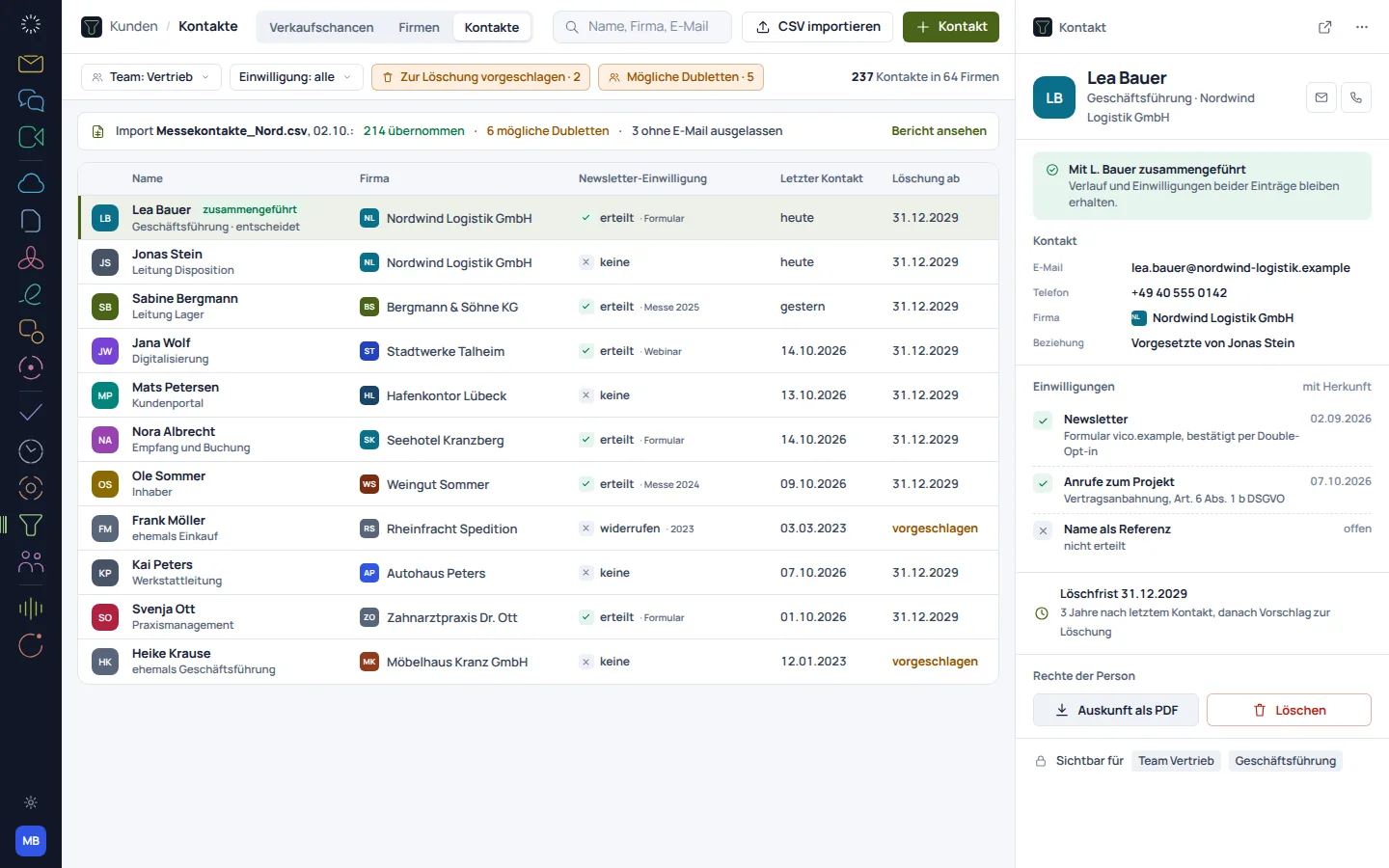
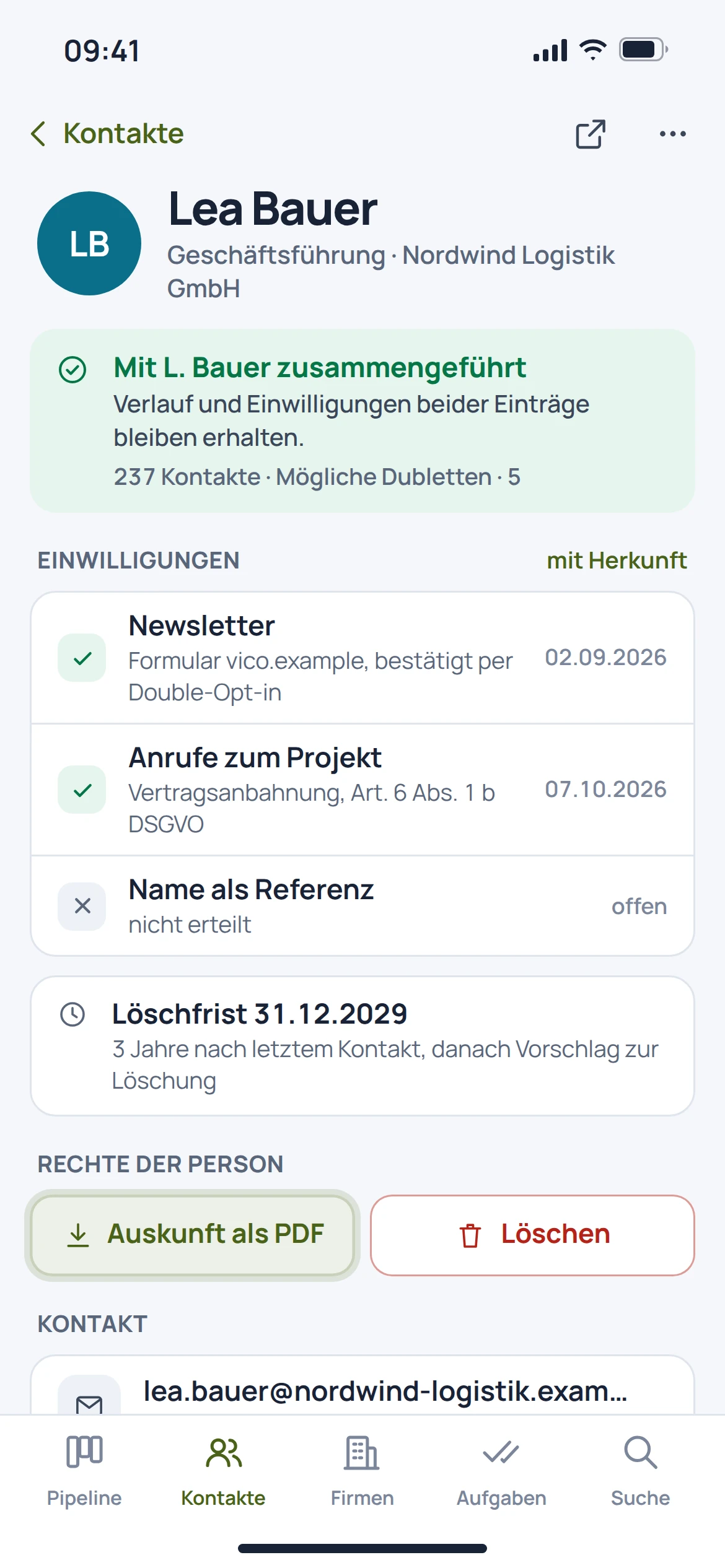
Relationships need context.
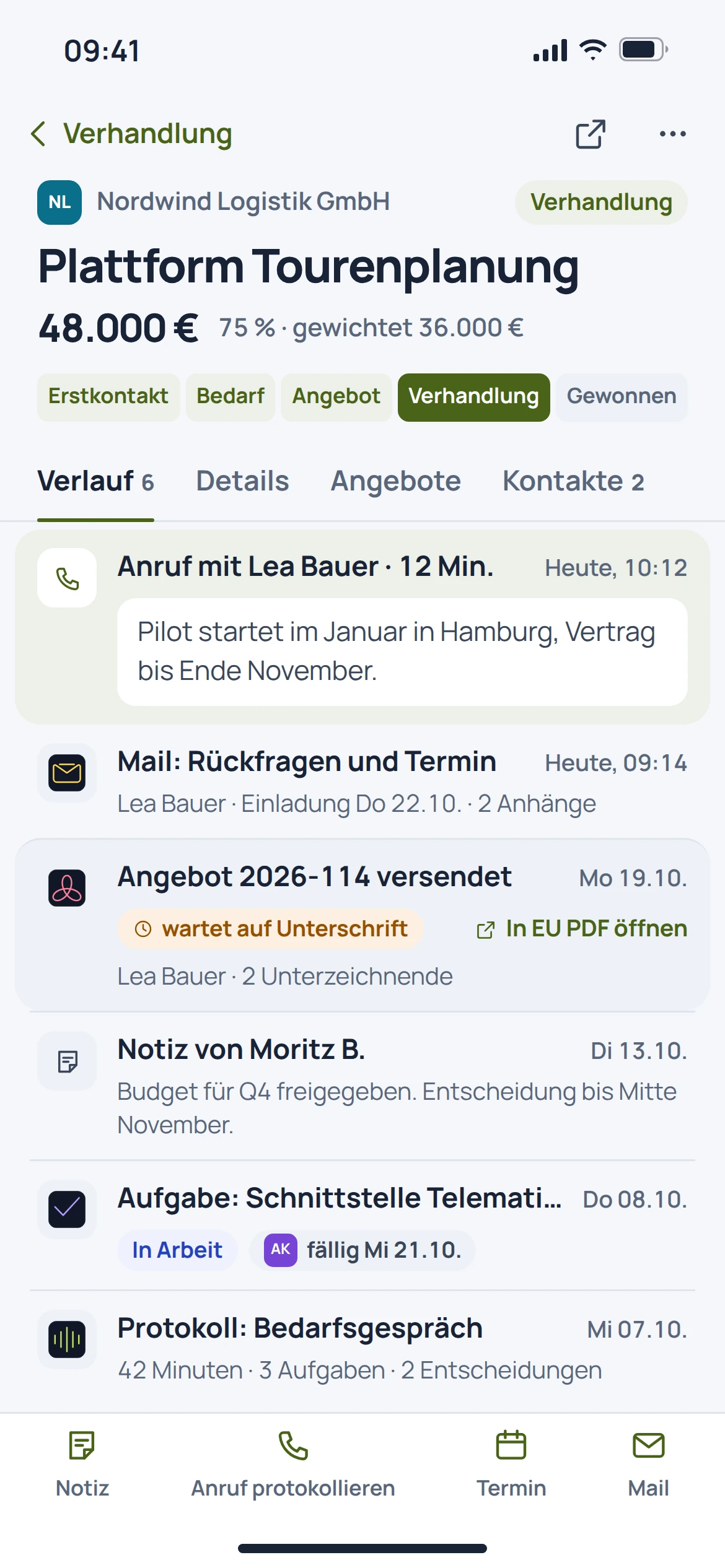
Contacts and companies form the starting point. Notes and activities record what has already been discussed and which information matters for the next conversation.
- Organise contacts and companies
- Link conversation notes
- View activities in context
02 · Feature in focus
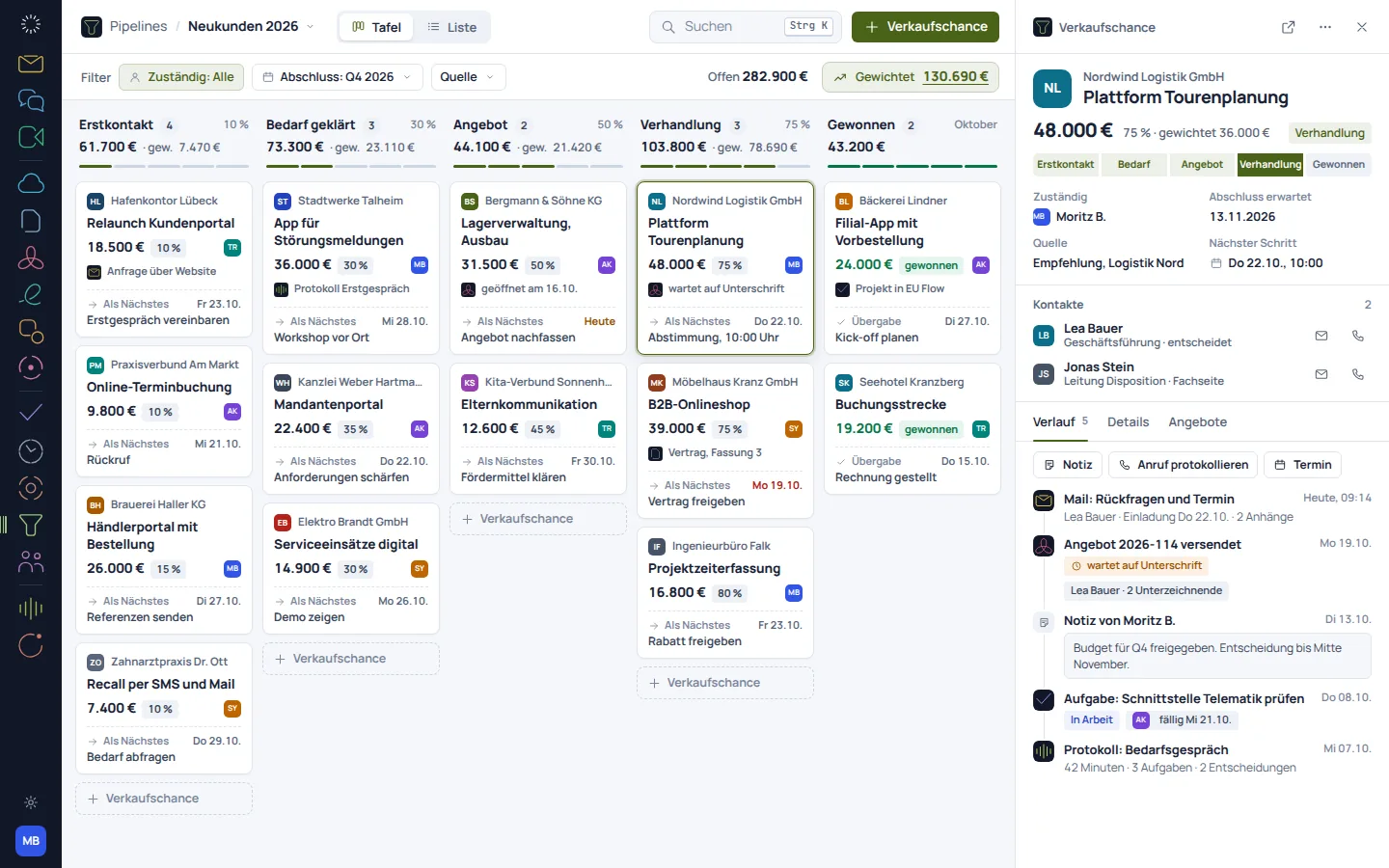
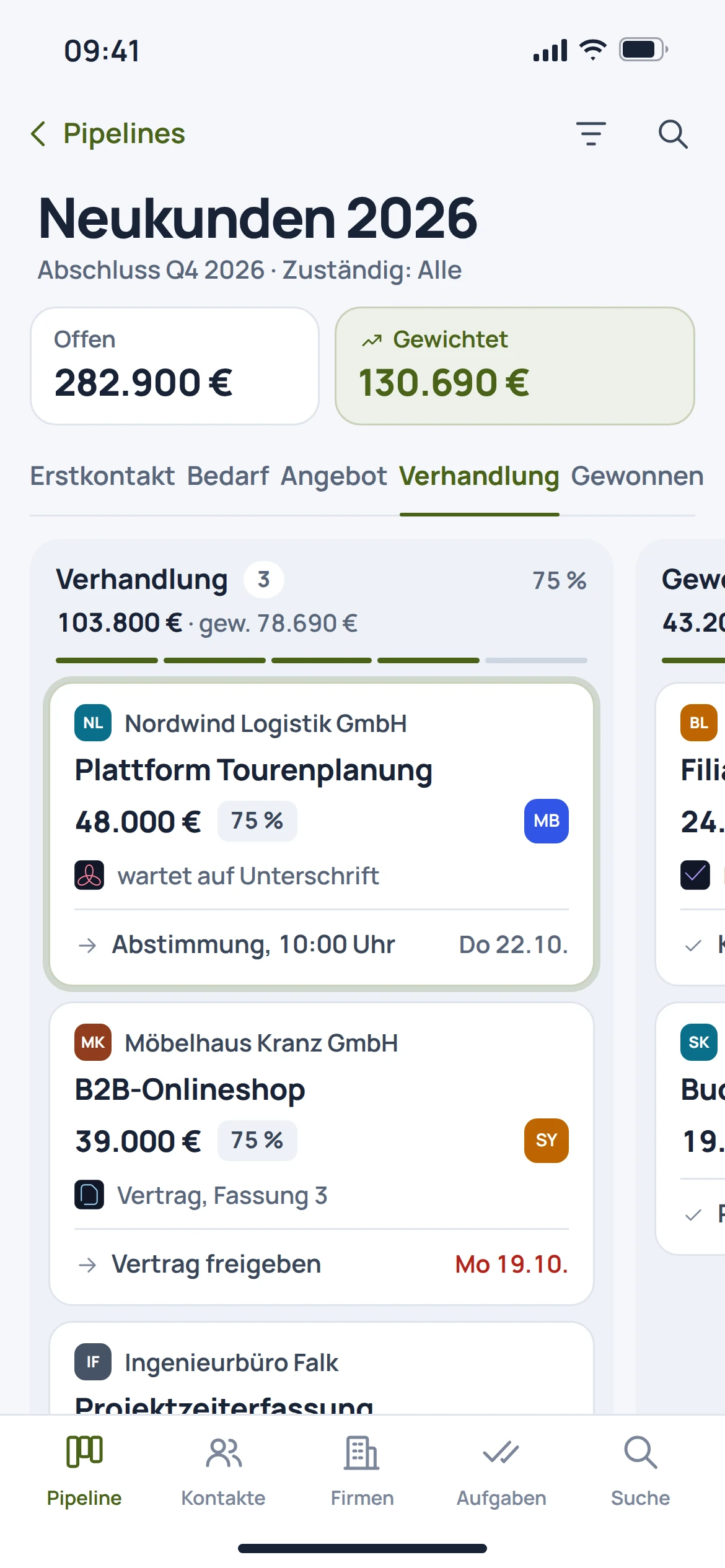
An opportunity needs a next step.
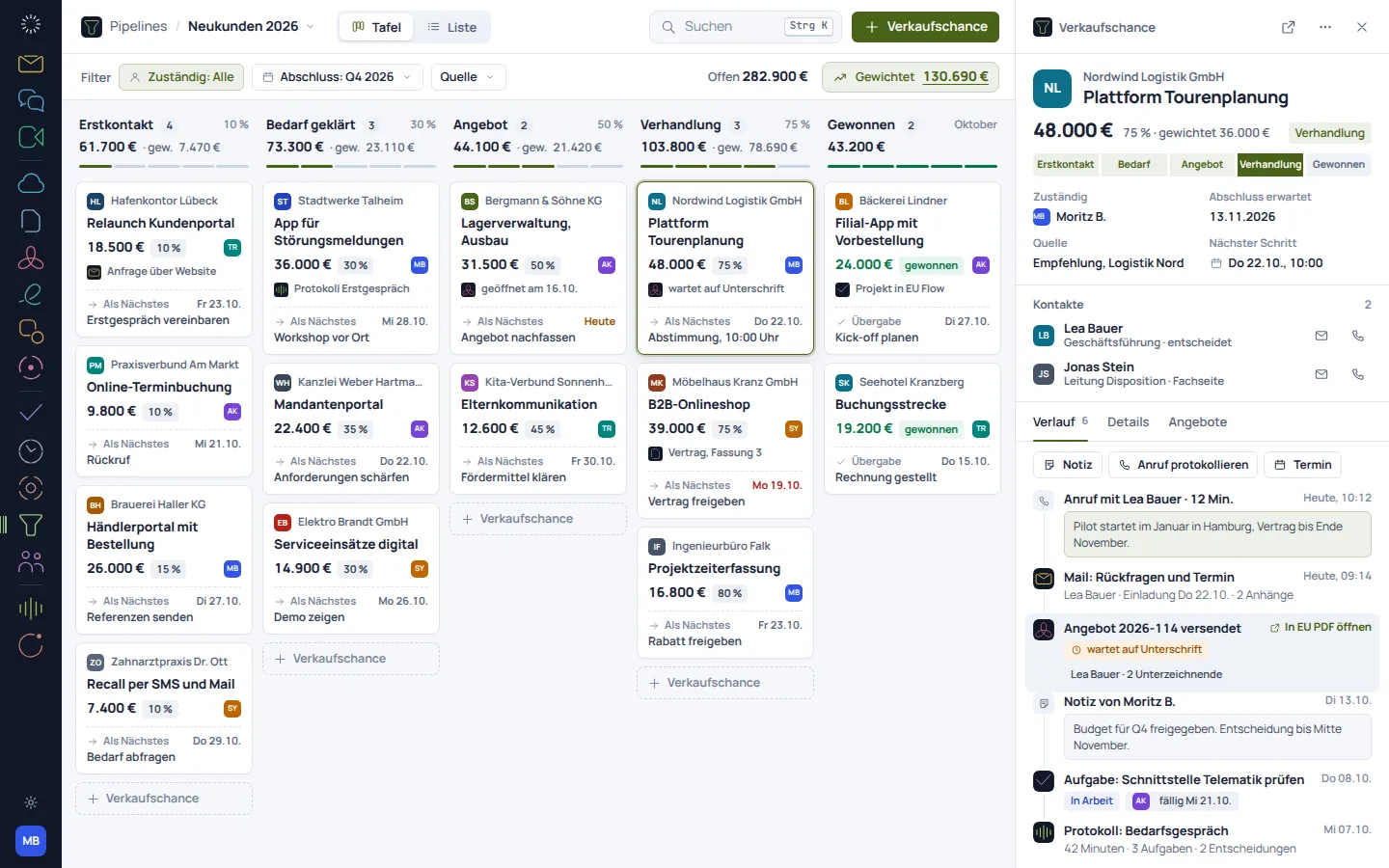
The documented pipeline organises sales opportunities by stage and value. It is intended to make it easier to review open opportunities together.
- Organise sales opportunities by stage
- Record values and next steps
- Review open opportunities regularly
03 · Planned workflow
Customer context should grow with the relationship.
Emails, meetings, quotes and tasks are intended to add to the view of a customer relationship. This cross-product consolidation should be understood as a goal, not a promise of fully automated functionality already in place.
- Suite activities linked to the customer as a target
- Related offers and tasks
- Traceable links instead of unnoticed data transfers
Before getting started
Good to know.
What is included in a sales opportunity?
The product materials describe an opportunity through its stage, value and associated contacts. A specific next step makes further follow-up clear.
Are all emails and meetings assigned automatically?
Cross-product consolidation is planned. This page does not promise fully automatic assignment as an existing feature.
Is a complete Salesforce import available?
An automatic migration from another provider is in preparation. Custom fields, relationships and activities require separate mapping.
What do the CRM views show?
There is no image set for the older CRM product catalogue documented as a recording. The concept views shown there illustrate the described process; current product captures are labelled separately. The name, symbol and colour are provisional.