Organise contacts
Define the required contact details and responsibilities as the basis for a customer overview.
EU CRMOrganisation
EU CRM is described for contacts, companies and sales opportunities. A shared view is intended to help you keep track of arrangements and prepare the next step deliberately.
Manage contacts and sales opportunities with traceable context.
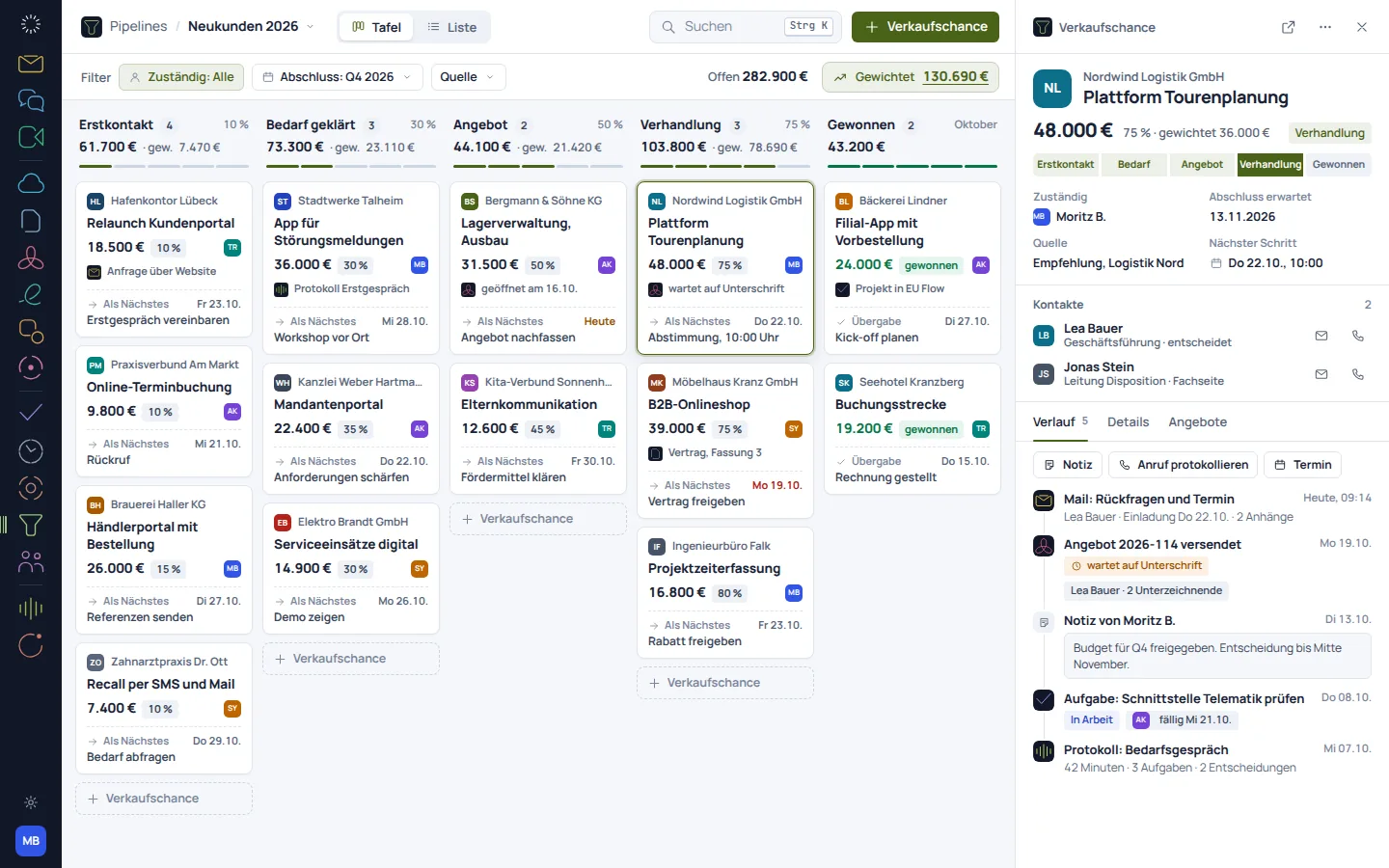
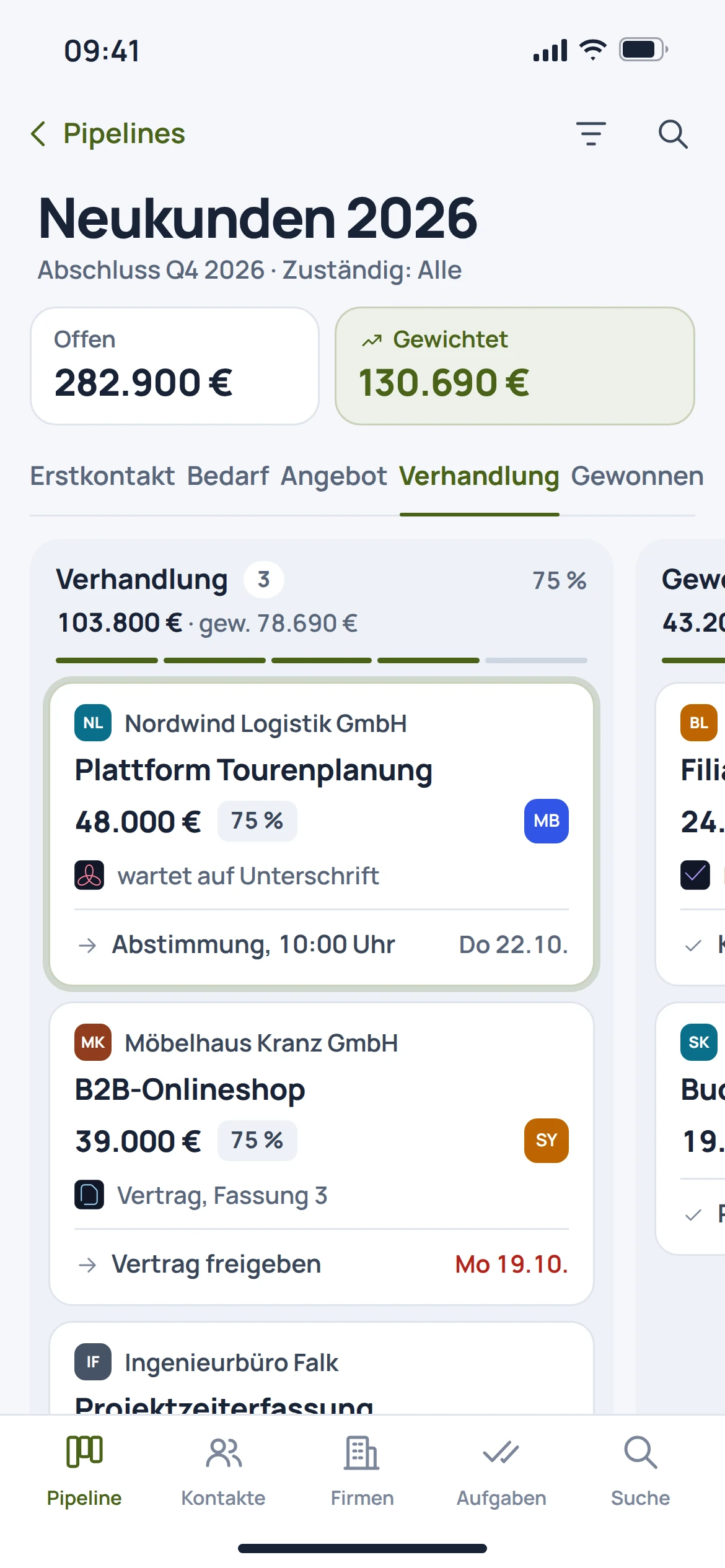
Features
Organise contacts
Contacts and companies form the starting point. Notes and activities record what has already been discussed and which information matters for the next conversation.
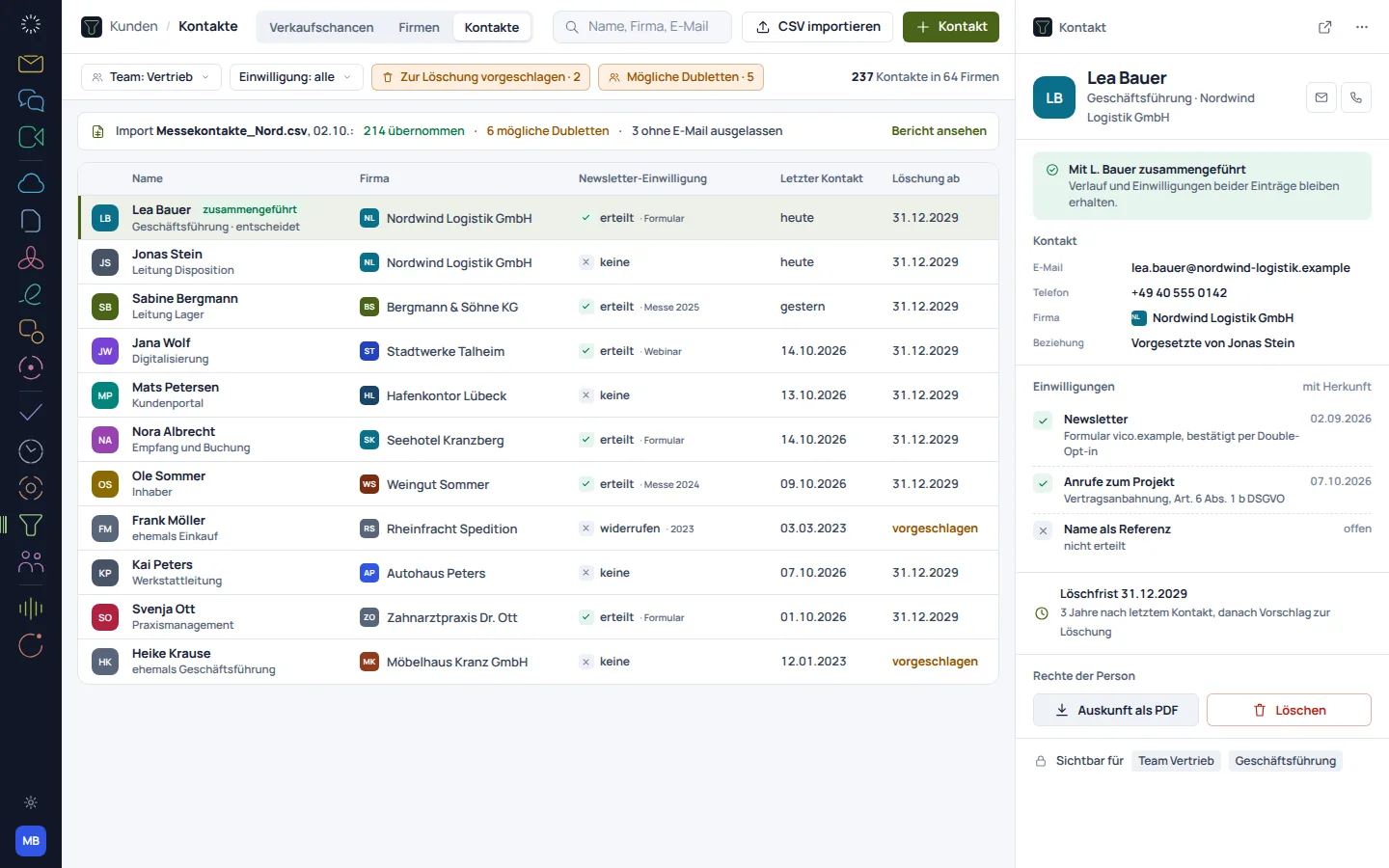
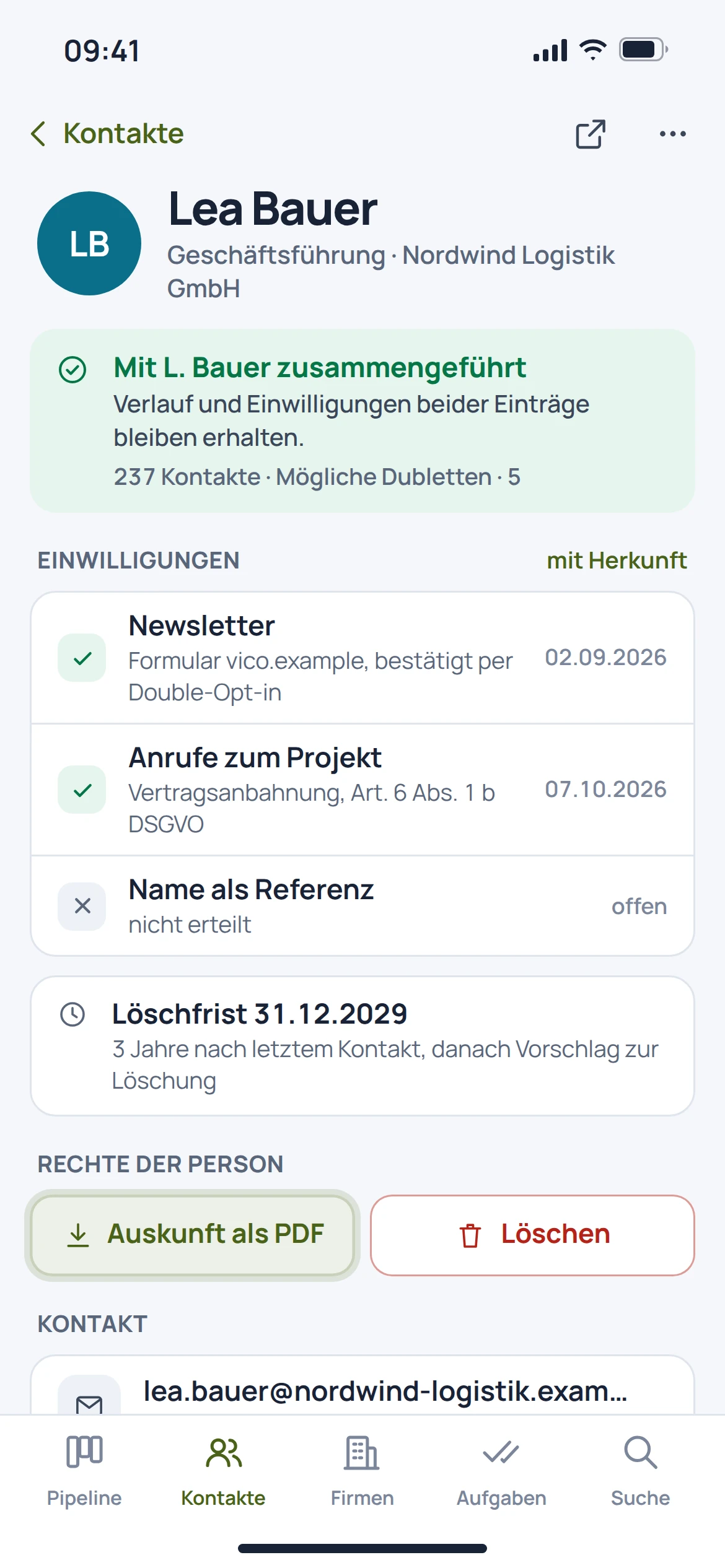
Sales opportunities
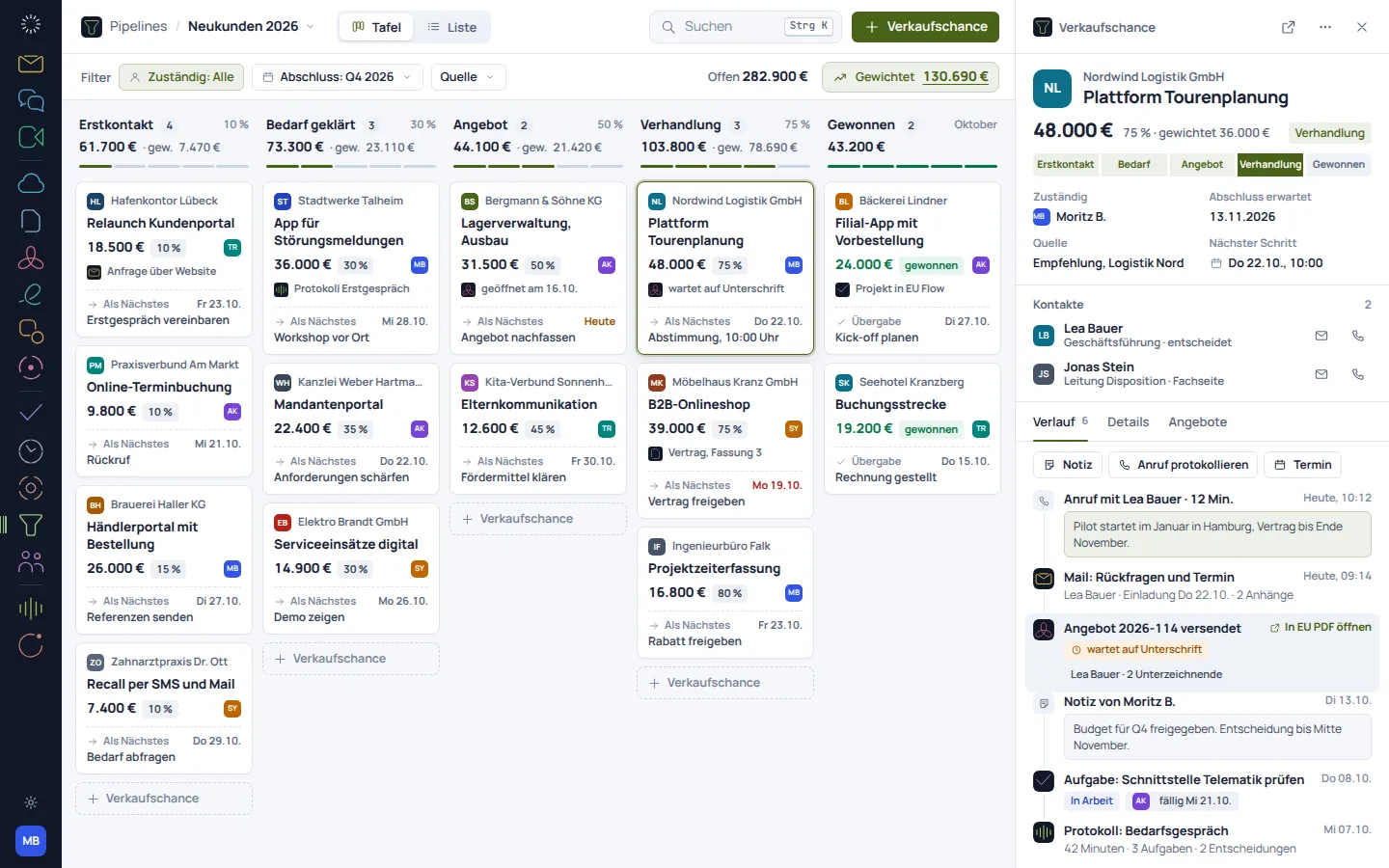
The documented pipeline organises sales opportunities by stage and value. It is intended to make it easier to review open opportunities together.
Planned workflow
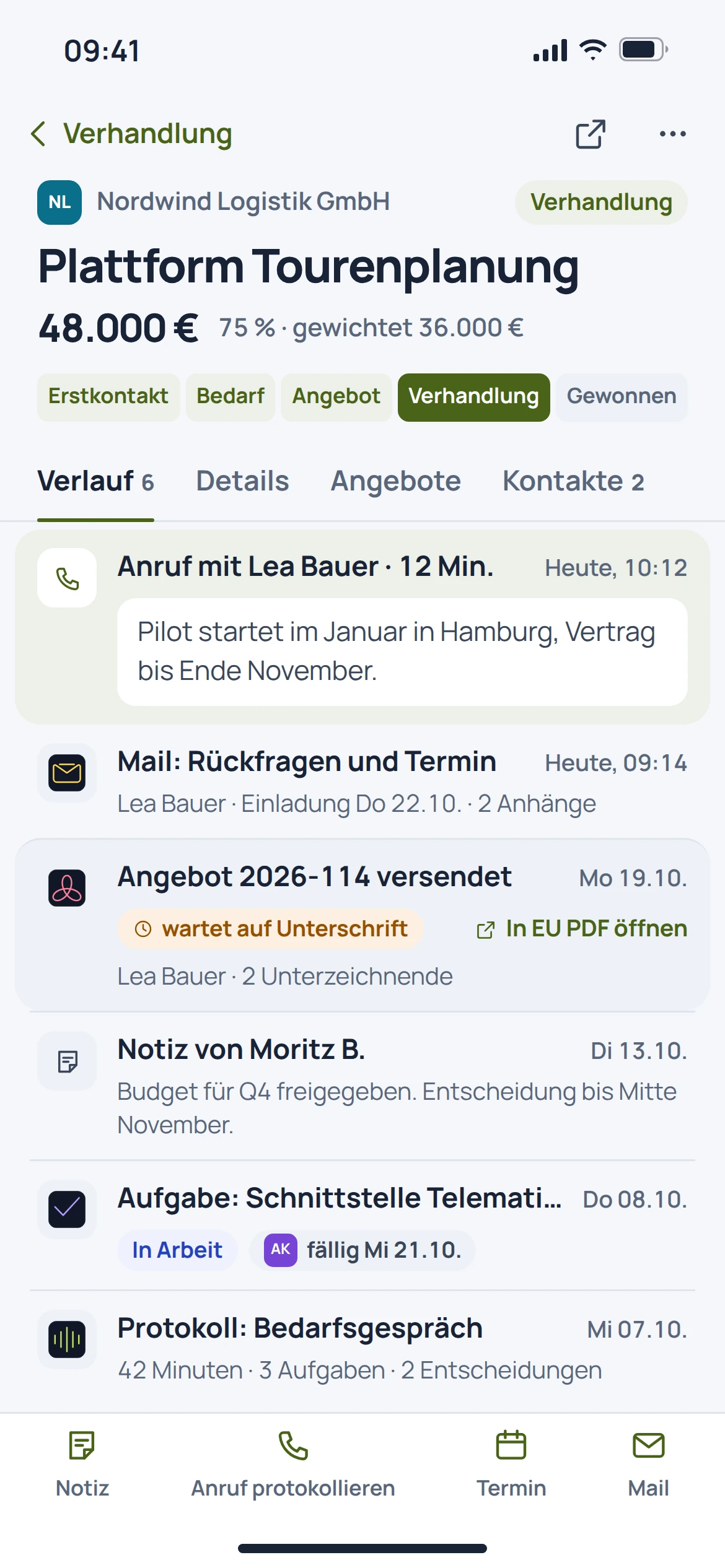
Emails, meetings, quotes and tasks are intended to add to the view of a customer relationship. This cross-product consolidation should be understood as a goal, not a promise of fully automated functionality already in place.
From getting started to results
Manage contacts and sales opportunities with traceable context.
Record the contact, company and reason for the sales opportunity.
Determine the stage, value and next conversation or work step.
Add new information and agreements to the opportunity.
EU CRM in everyday work
Define the required contact details and responsibilities as the basis for a customer overview.
Organise your sales process into clear stages and review the planned pipeline.
Align relevant information and responsibilities. Suite connections are described as a target.
One account. More possibilities.
Discover the right tools for the next step. Find features and available integrations on each product page.
Switch with confidence
An automatic migration from Salesforce, HubSpot or Pipedrive is in preparation. For a future transfer, mappings and duplicates matter more than making the first file as large as possible.
Check before anything moves
Select the companies, contacts and open opportunities you need, and review duplicates.
Compare pipeline stages, values, responsibilities and custom fields.
After a future transfer, check relationships, notes and activities using a few typical cases.
Individually. Together. Right for you.
Free, Basic and Pro for every product. One EU Suite account connects your apps. You manage your selection and access in the Control Centre.
Plan preview · suggested price · Individual
Free
For getting started on your own
0,00 €0,00 €/ month
Free plan
Basic
For your daily work
13,44 €11,20 €/ month
When paying monthly€134.40 with annual billing
Pro
For more advanced workflows
20,16 €16,80 €/ month
When paying monthly€201.60 with annual billing
Suggested prices include 19% VAT for Germany. The commercial feature allocation is planned; binding offers and available services are shown in the control centre. No purchase is made here.
Team adds role and licence management. A 10% surcharge and at least three paid seats per product are planned. Your account type is set in your profile.
Multiple apps, one package
Compare suitable packages in the control centre before deciding.
Before getting started
The product materials describe an opportunity through its stage, value and associated contacts. A specific next step makes further follow-up clear.
Cross-product consolidation is planned. This page does not promise fully automatic assignment as an existing feature.
An automatic migration from another provider is in preparation. Custom fields, relationships and activities require separate mapping.
There is no image set for the older CRM product catalogue documented as a recording. The concept views shown there illustrate the described process; current product captures are labelled separately. The name, symbol and colour are provisional.